
- English

Hole-free to install
Automotive-grade quality
Ideal for HGV and Bus safe driving & parking
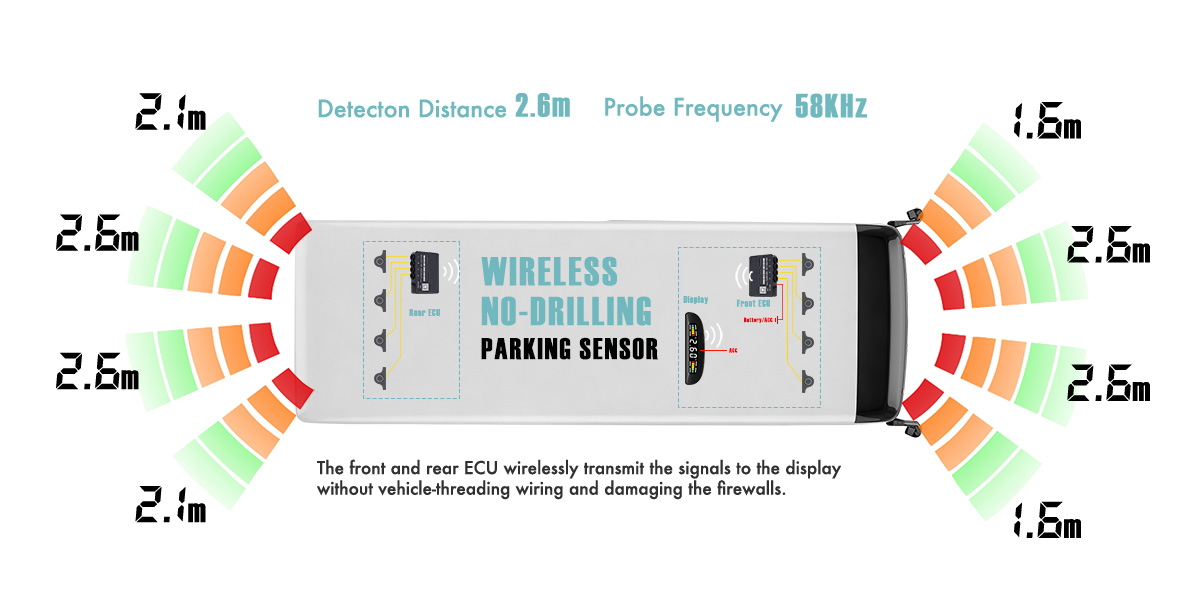
Wire Diagram

Main Components of the Solution

Application Scenarios
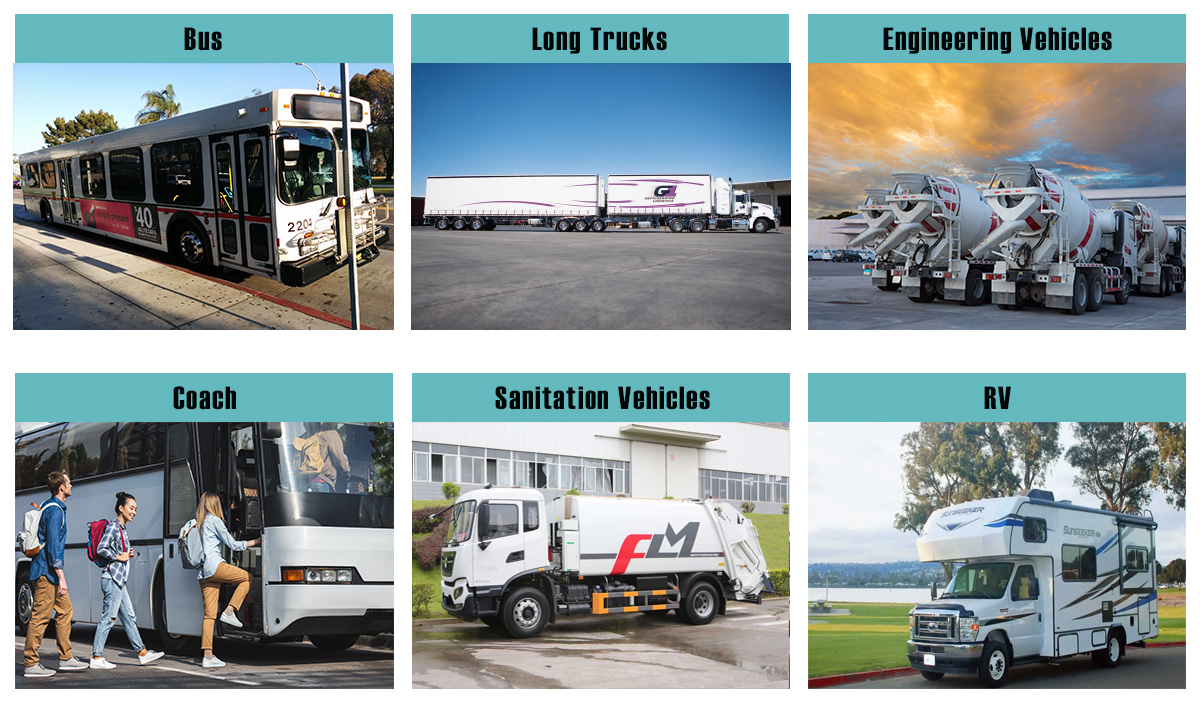


Wireless Rearview System for HGV BUS
Product Detail
Wireless Rearview System
Product Overview
The vehicle wireless rearview system offers a revolutionary driving experience. It transmits real-time images from the rear of the vehicle to the dashboard display wirelessly. This eliminates the hassle of cables, provides a clear and wide-angle view, enhancing safety and convenience for drivers on the road.
Package

Technical Parameters
Categories | Specifications | |
Screen | LCD Screen | 7″ high-definition digital new screen, 16:9 |
Backlight brightness | LED, 500-650 cd/ ㎡ | |
Resolution | 10240xRGBx600 | |
Standard | NTSC & PAL (compatible) | |
OSD Menu | Brightness, contrast, language (English, Chinese) | |
Viewing Angle Range | Up - 85 °, down - 85 ° , left - 85 ° , right - 85 °, no blind spots | |
Image Flip | up down left right | |
Power Requirements | 9-36V DC | |
Power Consumption | 5W | |
Storage Temperature | -30 ~ 80℃ | |
Operating Temperature | -20℃ to 70℃ | |
Video Input | 1-channel 2.4G wireless video signal input | |
Optional | 2-way/4-way (split optional) | |
Optional | Support 256G SD card slot | |
Unobstructed Transmission Distance | 100M Empty | |
Physical Dimension | 180*121*26(75)MM | |
Accessories | 5.5DC power cable, user manual, sun hat, camera bracket, 2.4G antenna (3M extension cable optional) | |
Camera | 9 Image Sensor | 1/3" 200W 1080P |
Resolution | 1920(H)*1080(V) | |
Minimum Lighting | 0.5Lux, infrared night vision | |
Viewing Angle | 120° | |
Standard | PAL & NTSC | |
Unobstructed Transmission distance | 200M Empty | |
Power Requirements | 12V-24V | |
Waterproof Level | IP 67/68 | |
Applicable Models | Passenger cars and special vehicles | |
Other Features | Waterproof, shockproof, infrared night vision, high temperature resistance, moisture proof | |
Installation

Wiring

Monitor Installation
1. Remove the screws on the monitor. Put the U-type bracket to the right place and adjust the angle, prepare 3 screws(see below pictures).

2. Fix the bracket by the screws. Put the monitor into the bracket, adjust the angle and lock it.

3. Angle adjustable range:
Forward: 30 °
Backward: 30 °



 Copy product links
 Long by picture save/share
INQUIRY


Add Successfully


Copy Right 2022 iCARCOMM All Right Reserved
